How to Change Username in Geometry Dash (2026 Complete Guide)
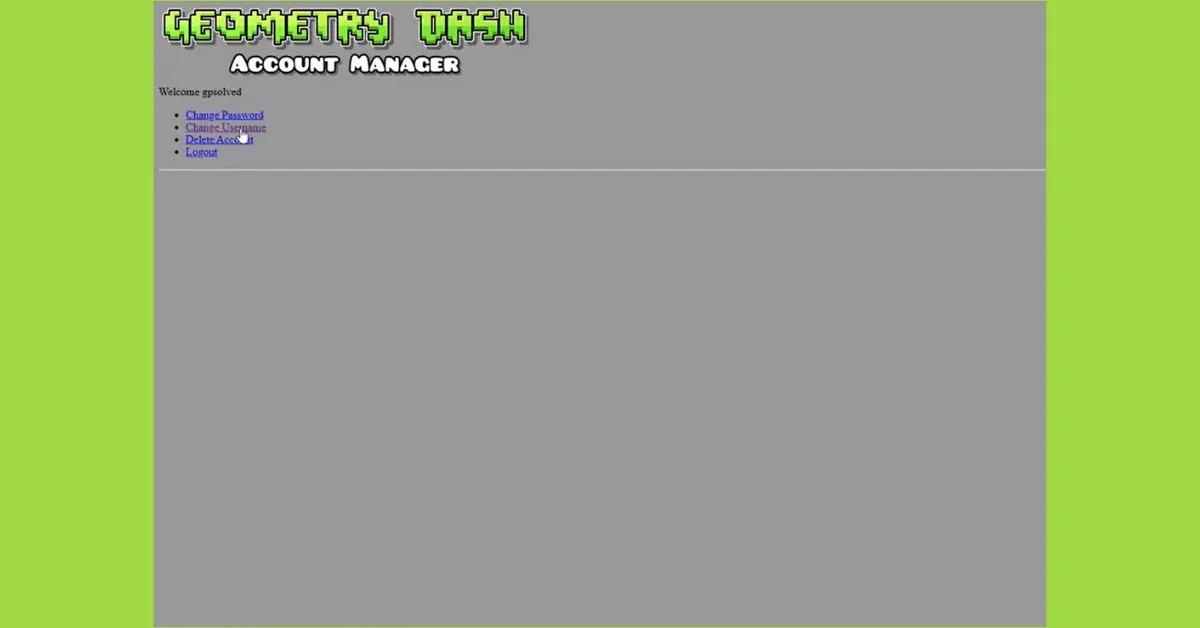
Want to change your username in Geometry Dash? Changing your username in Geometry Dash is easier than most players think, but many users still get confused because the option is not visible inside the game directly.
In this complete guide, you will learn the exact steps, important rules, and pro tips to safely update your username without losing progress.
What is Geometry Dash & Why Username Matters?
Geometry Dash is a rhythm-based action platformer developed by RobTop Games, where your timing must match the music beat to survive.
Your username is important because:
- It represents your gaming identity
- It appears on leaderboards & community levels
- It connects with your saved account progress
According to gaming trends, over 70% of online players prefer unique usernames to stand out in multiplayer or community-based games.
Step-by-Step: How to Change Username in Geometry Dash
Follow these simple steps:
Step 1: Open Game Settings
Open Geometry Dash on your device and tap the Settings icon.
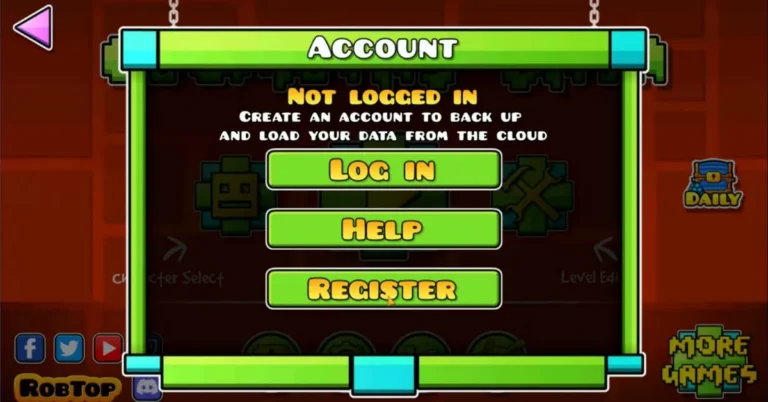
Step 2: Go to Account
Inside settings, select the “Account” option.
Step 3: Tap “More”
You will see multiple options. Click on “More” to proceed.
Step 4: Open Account Management
Tap on “Manage Account”. It will redirect you to the official account page.
Step 5: Log in to Your Account
Enter your login details on the Geometry Dash Account Manager page.
Step 6: Change Your Username
Once logged in:
- Enter your new username
- Make sure it is unique and available
- Save changes
That’s it, your username will be updated instantly.
Important Rules Before Changing Username
Before you change your name, keep these points in mind:
- Username must be unique (not already taken)
- Avoid using offensive or restricted words
- Changes may be limited over time (not unlimited)
- Your game progress remains safe
Why Do Players Change Their Username?
Here are the most common reasons:
- Do not like the old username
- Made a typing mistake during signup
- Want a more creative or stylish name
- Got bored with the current username
- Rebranding gaming identity
This behavior is common across games like Clash of Clans and Minecraft as well.
Pro Tips for Choosing a Unique Username
Want a better name? Try these tips:
- Use short & memorable words
- Add numbers or symbols creatively (e.g., X-Gamer001)
- Avoid copying popular players
- Keep it brandable if you plan to grow online
Experienced gd players recommend choosing a username that is simple, recognizable, and easy to remember.
Final Thoughts
Changing your username in Geometry Dash is a simple but slightly hidden process. Once you access the account manager, the rest is quick and easy.
If you follow the steps correctly, you can update your identity in minutes without any risk.
Pro Tip: Always choose a username that reflects your style because in gaming, your name is your brand.
FAQs
Can I change my username anytime?
You can change it, but frequent changes may be restricted by the system.
Will I lose my progress?
No, your progress is safe as long as you are logged into your account.
Can I use an already taken username?
No. Every username must be 100% unique.
Is it safe to change the username?
Yes, as long as you use the official account system.